For most small Australian churches, Sunday is still the anchor of the week. But not everyone can be in the room every week. A family dealing with illness. A member working a weekend shift. Someone who moved interstate but wants to stay connected. Someone who’s curious about your church but not quite ready to walk through the door.
Live streaming your Sunday service means none of those people have to fall away quietly. It is not a replacement for gathered worship, and it does not need to be complicated to set up. This guide covers what you actually need to get started, which platforms make sense, and why putting your stream inside your own church app is a better long-term decision than depending on YouTube or Facebook.
Why churches are taking livestreaming seriously
The Pushpay/Barna 2026 State of Church Technology Report (surveying over 1,300 church leaders) found that 86% of churches now use livestreaming in some form. That number reflects a shift that started during COVID and has not reversed. Congregations discovered that some members genuinely prefer or need to watch from home some weeks, and churches found that the reach extended naturally to people outside their existing congregation.
There is also a practical digital reality worth understanding. Organic reach on Facebook Pages has fallen to 2–5% of followers for most pages (Caffeinated Church, 2026). If you have 300 people who follow your church’s Facebook page, somewhere between 6 and 15 of them typically see any given post. That is the channel most small churches still rely on most heavily for mid-week communications.
A live stream, paired with a direct notification to people who actually want it, is a different proposition entirely.
What you realistically need to get started
Church livestreaming does not require a broadcast-quality setup. Many congregations are running effective streams with equipment that costs under $1,500 altogether, and some are doing it with considerably less.
Camera: A decent webcam (Logitech C920 or similar) works for smaller rooms. For better quality, a mid-range mirrorless camera with a capture card (Elgato Cam Link or equivalent) gives you a sharper image. One camera at the back of the room, pointing toward the front, is enough to start.
Audio: Audio matters more than video for church streams. A congregation watching at home will tolerate average video, but poor audio drives people away quickly. If your church has a sound desk, you can often run a direct line out to your laptop or streaming PC. A small USB audio interface (around $100–200) handles this cleanly. If you do not have a sound desk, a directional USB microphone pointed toward the speaking area is a reasonable starting point.
Lighting: Natural light is fine if your sanctuary has it. If you are streaming in a darker space, a simple LED panel positioned at the front can help significantly. This is an optional upgrade, not a day-one requirement.
Broadcasting software: OBS Studio is free, reliable, and used by churches worldwide. It lets you manage scenes, switch between camera angles if you add them later, and push your stream simultaneously to multiple platforms.
Internet: A wired ethernet connection is strongly preferred over WiFi for streaming. Your upload speed matters most here. 10 Mbps upload is comfortable for a 1080p stream; 5 Mbps works for 720p. If your church is in a regional area with limited NBN speeds, streaming at 720p is a sensible choice that most viewers will not notice.
Choosing a church streaming service
There are three main options that small churches use, each with genuine trade-offs.
YouTube Live is the most widely used option. It is free, the replay is archived automatically, and your congregation can find past services easily. The algorithm will occasionally recommend your content to people outside your congregation, which is genuinely useful for reaching new people. The downside: YouTube controls the platform. Your channel can be demonetised, age-restricted for certain content, or have a service flagged for music copyright (even traditional worship music has occasionally triggered this). You are also building an audience on someone else’s ground.
Facebook Live is familiar to most church members and integrates naturally with your existing page. Comments from congregants appear in real time, which some churches find adds a sense of community. The reach problem described earlier applies here too: the live notification goes to followers, but the same algorithm constraints apply to how many of them actually see it. Facebook also requires everyone watching to have a Facebook account.
Vimeo (Livestream tier) is a paid option, starting around AU$100–200/month for the streaming-capable plans. It gives you more control: no algorithm, no ads, no third-party recommendations appearing after your service. For churches that want a clean, professional experience without platform interference, it is worth considering. It is not necessary on day one.
There is no wrong starting point. Many churches begin on YouTube Live, get comfortable with the technical setup, and then revisit the platform question six months later.
Getting the stream to your congregation reliably
The technical setup is only half the problem. The other half is making sure your congregation actually knows the stream is happening and can find it quickly on a Sunday morning.
The common approach is to post a link in a Facebook group or send an email on Saturday. Both work, but neither is fast or reliable in the moment: plenty of emails are never opened, and Facebook Groups perform better than Pages but not everyone in your congregation is in the Group.
A direct push notification to a phone is different. When someone has your church app installed and notifications enabled, you can send a single notification on Sunday morning that says “We’re live now” with a tap-to-open link. That notification arrives on the lock screen. It does not depend on an algorithm. It does not require the recipient to remember to check anywhere.
This is where the combination of livestreaming and a church app changes the dynamic.
Why a church live stream app outperforms social platforms
When your stream lives inside a dedicated church app, a few things happen that do not happen on YouTube or Facebook.
Your congregation comes to you, not to a platform. Opening your church app is a different mental act than opening Facebook. It signals intent. People who open your app on a Sunday morning are there for church, not to scroll past your stream on the way to something else.
You control the experience. No algorithm. No ads. No “recommended for you” content appearing after your service ends. No requirement for a social media account.
The stream sits alongside everything else. Your sermon archive, your events calendar, your giving page. A first-time visitor who finds your stream can, in the same session, read about your community and see what is coming up next week.
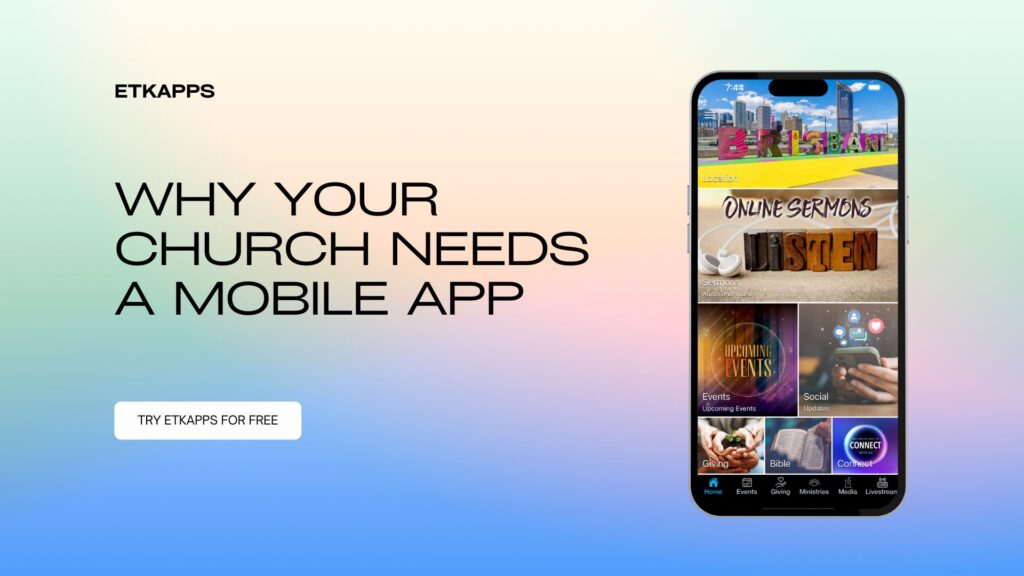
Past streams become part of your sermon library. ETKApps supports livestream embedding: when your YouTube channel goes live, it surfaces automatically inside your app. Past services sit in your sermon archive. Someone who missed Sunday can catch up from the same place they would have watched live.
The 2026 Pushpay/Barna report found that 79% of church leaders say technology helps congregations feel more connected. A custom-branded app with your church’s name, colours, and logo on a congregation member’s phone is a meaningful piece of that connection, in a way that your YouTube channel or Facebook page simply is not.
A note on realistic expectations
A church live stream is not a growth strategy on its own. It is a pastoral tool that helps you stay connected with people who are already part of your community, and makes it easier for curious newcomers to take a low-commitment first look.
You do not need a production crew. You do not need to stream every event. Starting with Sunday morning and getting the audio right is a better approach than launching with multiple cameras and struggling through the first few weeks technically.
Start simple. Get feedback from a handful of congregation members who watch online. Improve from there.
Frequently asked questions
Do I need a fast internet connection to live stream church services?
A reliable wired connection with at least 5 Mbps upload is the practical minimum for a watchable 720p stream. 10 Mbps upload is comfortable for 1080p. WiFi works in a pinch but introduces drop-out risk. If your church hall is on limited NBN or a fixed wireless connection, test your upload speed on a Sunday morning before you go live for the first time, as speeds can vary by time of day.
Can I live stream on YouTube and have it appear in my church app at the same time?
Yes. ETKApps’ livestream feature works automatically with your YouTube channel: when you go live on YouTube, the stream surfaces inside your app without any manual steps each week. Your congregation can choose to watch in the app or directly on YouTube, whichever they prefer.
What is the difference between a church live stream app and just using Facebook Live?
Facebook Live streams to your Facebook audience, which means reach depends on the platform’s algorithm and requires your viewers to have Facebook accounts. A church live stream app puts the stream inside your own branded space, directly accessible to anyone with your app installed. You control the experience, and it sits alongside your other content: sermons, events, giving, and prayer requests. The two are not mutually exclusive; many churches stream to YouTube or Facebook and also surface that same stream inside their app.
What’s the best streaming service for a small church?
There isn’t a single right answer, it depends what you’re optimising for. YouTube Live is the easiest starting point and the most discoverable if reaching people outside your congregation matters to you. Facebook Live suits churches whose members are already active in a church Facebook group and want comments and reactions in real time. Vimeo’s Livestream tier is worth the AU$100 to $200/month if an ad-free, algorithm-free experience matters more than reach. Most small churches start on YouTube Live because it’s free and familiar, then revisit the question once they know how often they’ll actually stream.
Getting started
If you are ready to explore what a church app looks like with your own branding and a livestream tab your congregation can use, the first step is straightforward. Add your church at etkapps.com/add-your-church/ and we will configure your app and give you 30 days to preview it, no credit card required.